On this page
The short answer
Choose the control method you need first. A nearby Bluetooth connection and internet control from another location are different features. Check both phones for app compatibility, then find the toy's physical off control and the app's stop and access settings.
Checklist
- Check the exact model, its local controls and whether the box includes a physical remote.
- Look up app availability and compatibility on both phones.
- Find the steps to accept, end and remove remote access.
- Read the app's privacy notice and check which permissions the features you want require.
“Remote control” can mean the little handset in the box, your phone across the room, or a partner’s phone in another city. Decide where you want the controls to be before you pick a model. If a partner will be somewhere else, check that the model supports internet control and that both of you can install the app. Then ask a question the listing rarely answers up front. What will you reach for if you want it to stop?
Choose how you want to control it
Some models have buttons on the device for everyday use. Others also work with a separate handheld remote. If a remote is one of the reasons you’re buying, check the box list for the exact bundle. Ask how far away the remote can be, what battery it uses and whether it needs pairing. If you have limited dexterity, look for a close-up or diagram of the off button on both the toy and the remote.
With local app control, a phone near the toy communicates with it over Bluetooth. The app may let you adjust settings from a screen even when the toy’s buttons are hard to reach. Check whether this mode needs a login or an internet connection for setup. If you plan to use it somewhere with patchy reception, ask which controls will still work once you’re signed out or offline. Keep the phone within the range the maker gives for the model.
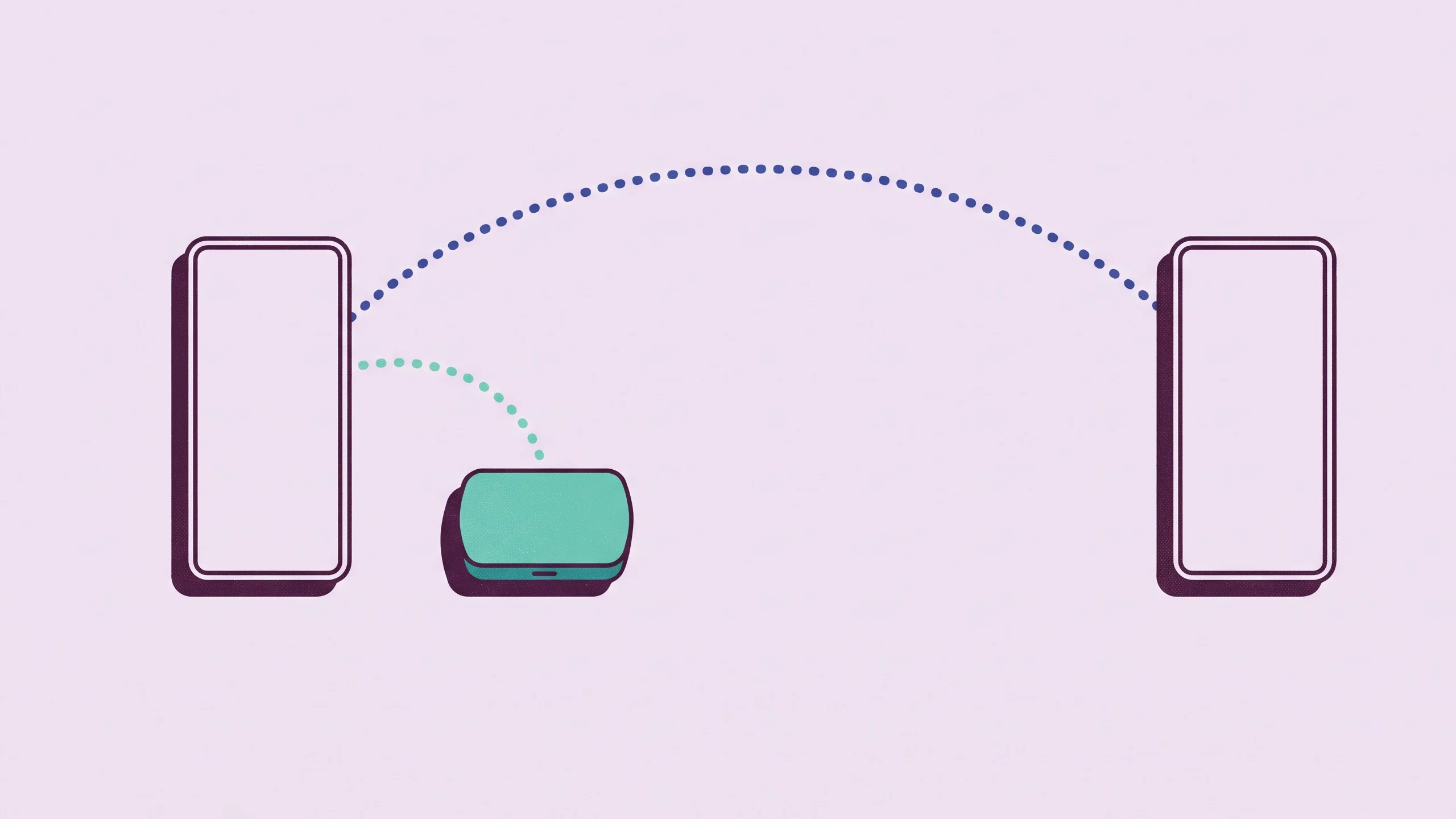
Internet control typically involves a phone near the toy and a connection to a second person’s device. Both people need a stable internet connection for Lovense Live Control. The owner pairs the toy through Lovense Remote, and the other person sends a request that the owner accepts. A partner can send the request without buying a second toy. We-Vibe also says a partner can control a compatible toy via the We-Vibe App without owning one.
| Control method | Where it works | Example or buying check |
|---|---|---|
| Buttons on the toy | On the device itself. | The We-Vibe Tango X has physical buttons and no app support. |
| Separate handset | Within the remote's stated range. | We-Vibe documents remote control for Sync 2. Check the bundle and pairing instructions. |
| Nearby phone | Within Bluetooth range of the toy. | Check which controls the app gives you locally and whether setup needs an account. |
| Long-distance app control | Between locations with internet access. | Lovense Live Control uses an accepted request in the app. Check both devices before you buy. |
Use the exact model name in the support section. We-Vibe’s Sync 2 instructions say it can pair with one remote or app-enabled device at a time. The Sync 2 overview covers switching between the phone and handset. If you plan to swap between them, find the physical off button and check the pairing steps before you need them.
Check both phones before ordering
Open the app store on each phone and find the listing from the manufacturer. Copy the app’s name from the product page if several apps have similar names. Check the supported operating system and whether it is available in each person’s region. An older how-to guide may describe a previous app version. If one phone cannot install the current app, check what the toy’s buttons or remote can do while you decide.
Look up each step before you assume it is the same on both devices. A video about Android may show permissions or a pairing screen that looks different on an iPhone. The instructions should tell you whether to connect inside the app or in system settings. Lovense Live Control requires the toy to be connected to Lovense Remote. We-Vibe also provides model-specific instructions for pairing through its app.
Two people may need separate accounts and a contact invitation. Lovense says both partners need accounts and must add each other for its long-distance control. Review the instructions together if either person has a reason to avoid signing up, such as using a shared tablet.
If one of you travels often, check for region limits on the mode you want to use. Ask the manufacturer about the places you’ll be if its app listing leaves that unclear. For an older toy or one bought second-hand, check that its model number still appears on the current supported-device list. Save that number with the app name so you have both to hand if you contact support.
If you already own the device, do the first check in the room where you’ll use it. Connect the toy to the nearby phone first and see whether its local controls respond. Then start a short test with your partner on the connection each of you normally uses. If local control works and a remote request still fails, check whether the second person is signed in, can see the invite and has internet access. Tell support which step failed and include the app version on each phone.
Agree how the session will end
Ask each other how to start and what will stop the session. “Ask me before sending a request, and stop if I say ‘pause’” is a useful starting point. If you lose sound or messages, agree to end the session and check in before starting again. Someone who accepted a request can change their mind at any time. Our guide to consent and boundaries has examples of how to have that conversation.
Use the toy on a table for a short practice run. Start at a low setting, find the stop option in the app and use the physical off button too. Ask the partner to confirm what they see at their end. Put the phone face down and see which stop control you can reach without picking it back up. Check the manual or ask support what happens when a connection drops, since the behaviour depends on the app and device.
When practice is over, end the session as directed. If you want to remove future access, look in the app’s partner or invitation settings. Check whether an access link expires and where you can revoke it. If you sent a link to the wrong chat, revoke it as soon as you can. Send any new invitation in a private thread after confirming the recipient.
Read the privacy settings for the features you’ll use
Start with the app’s privacy notice and the permissions page on your phone. Read which permissions are needed for pairing and which are for extras such as a video call. For a feature you plan to skip, check whether you can leave its camera or microphone permission off. The UK’s Information Commissioner’s Office advises checking what an app asks to access before agreeing to it.
Look for what the service stores about a connection and what you can delete. Lovense’s privacy policy describes processing device identifiers, connection logs and session information for connected features. It also describes how to close an account or request deletion. Read the policy for the app you choose before using chat or uploading a photo. Content someone else receives may remain on their device.
Check whether notification previews show the app name or messages on a locked screen. If the phone belongs to you but other people sometimes use it, look for an app lock. We-Vibe’s support page describes a PIN option and explains that you can unpair from a partner between sessions. Look up the current settings in the app version you can install.
If you share the phone itself, check where the app keeps past chats. Look at a paired watch or tablet as well. Its notification settings may be separate from the phone’s, so try sending a neutral message to see where the alert appears.
Try three decisions before you buy
I want a partner in another city to control one toy.
- Partner's phone sends a command.
- Internet connection brings it to the nearby phone.
- Bluetooth passes it from the nearby phone to the toy.
Look for internet control for that exact model. Check that both of you can install the app, and look up the account, request and stop steps before buying a second device.
My phone is often out of reach. How would I stop?
Find the physical off button in the model's diagram. See whether you could reach it in your usual position. If you're depending on a handset, check how it pairs and practise stopping before anyone uses the toy.
We finished last night. Is my partner still connected?
Check the current session and partner settings. End any active session and follow the app's instructions to remove the partner or revoke a link if you want to withdraw future access.
Bring the stop question with you if you contact a retailer. “Can I switch this model off from the toy if the phone goes flat?” is specific enough to answer. If you want the same device when travelling and at home, include both situations. Save the maker’s reply with the product code. It can help you choose between two models that list the same app.
Quick check
The call drops during a remote session. You agreed to stop if you lose contact. What do you do?
Use the off control and check in before restarting
Stop the device using the control you practised. Speak to each other before sending or accepting another request.
Wait to see if the session reconnects
A connection can return before you have spoken. End the session and check in before anyone resumes control.