On this page
The short answer
Consider the Sync 2 if you want an adjustable C-shaped toy and expect to choose between a handset and the We-Vibe app. Confirm which remote comes in your bundle. We-Vibe says the toy pairs with one handset or app-enabled device at a time.
Adjustable C-shaped couples vibrator
We-Vibe Sync 2
Highlights
- Adjustable arms and a button on the device
- Supports a separate handset and the We-Vibe app
- We-Vibe lists the toy body as IPX7
Trade-offs to consider
- Switching between handset and app can require re-pairing
- The handset has its own water guidance
- Check the bundle if the handset is important to you
At a glance
- Type
- Adjustable C-shaped couples vibrator
- Dimensions
- 41.7 × 74.8 mm (manufacturer-listed)
- Good fit for
- Choose between the toy button, handset or We-Vibe app
- Charging
- USB rechargeable with magnetic lead
- Trade-off
- Pairs with one handset or nearby phone at a time
The Sync 2 has a button on the toy, works with a separate handset and connects to the We-Vibe app. The useful detail is how you switch between them. We-Vibe says the toy can pair with one handset or app-enabled device at a time. If you picture keeping the handset by the bed and opening the app whenever you feel like it, check the switching steps first. That matters as much as the shape if you are buying it for two different routines.
Check what the adjustable shape changes
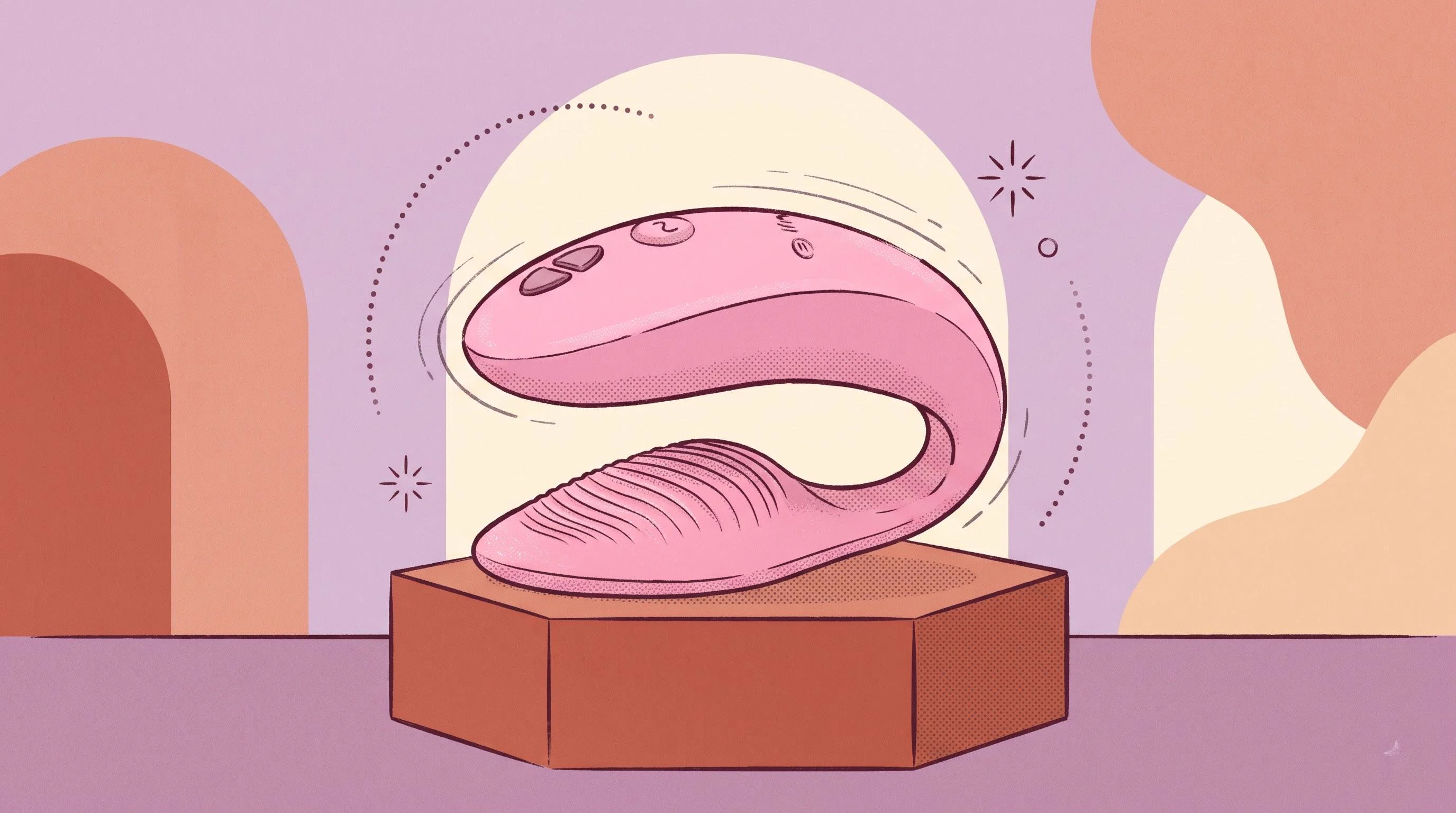
The Sync 2 is a C-shaped vibrator with an internal and an external arm joined by an adjustable hinge. We-Vibe lists dimensions of 41.7 × 74.8 mm and a silicone exterior. If you’re comparing it with a similar model, use the side view to see how the hinge changes the space between the arms. Look for the button on the outer arm while you’re there.
The retailer’s side view shows the textured inner arm. If you’re choosing between this and a smooth design, include that texture in the decision. The same picture can help you find the button for switching off. A photo gives you its position. You would need to handle the model to judge how easy the button is to reach in the grip you prefer.
Fit is personal, even when a device is adjustable. Ask yourself whether you can readily reach the control you plan to use and how you’ll set the toy aside if it feels uncomfortable. If you want a handheld shape with a separate grip, the mini wand overview shows a different layout. Both the hinge and the controls are easier to compare when you use pictures of the exact model.
Choose how you want to control it
Start with what you want to have within reach. The button on the device handles basic control. A paired handset gives you a separate physical control in the same room. For nearby phone control, We-Vibe’s Sync 2 support asks you to choose Sync 2 in the app and keep the toy close while pairing. The older Sync is a different selection. Use the name on your box when you open the instructions.
| Control | What to check |
|---|---|
| Button on the toy | Find the button and read how to switch it off without the handset or phone. |
| Separate handset | Confirm what the seller supplies. Use the Sync 2 support steps if you need to pair it. |
| Nearby phone | Check app compatibility and pair the toy over Bluetooth from the app. |
| Partner in another location | Check the app on both phones. The handset stays a local control. |
If the toy is paired to the handset and the app cannot connect, check We-Vibe’s Sync 2 switching instructions. Its support page treats the handset and nearby phone as alternative pairings. Practise getting the connection you want while the toy is sitting on a table. Find the physical off button during that check, so it is familiar if the phone screen goes dark or the connection drops.
We-Vibe says the Sync 2 can go to sleep after 30 minutes of inactivity. If you pair it early and set it aside, check whether it needs pairing again when you pick it up. The support page points to a sleep setting in the app. Look it up before changing how long the toy stays connected.
Try the control setup you would use
I want to keep both phones away for the evening.
Confirm that the bundle includes the handset. Pair it before you need it and check how to stop using the toy button as well.
One of us lives somewhere else.
Check that you can both install the We-Vibe app. Pair the Sync 2 to the phone near it and look up how to send, accept and end a Long Distance Play session.
I would use the handset at home and the app on trips.
Read the Sync 2 support steps for switching from one pairing to the other. Try the change before you pack, while the handset and charging lead are both easy to find.
We-Vibe says only one person needs a toy for Long Distance Play. The other person can use the app on their own device. If you are buying for that reason, check each phone’s app compatibility and confirm where the owner can stop the session. Agree to pause if you lose contact. The guide to choosing an app-controlled toy explains the difference between the nearby Bluetooth connection and the link between locations.
Before you send an invitation, find out where to remove a partner afterwards. We-Vibe describes a PIN and partner controls in the app’s Privacy settings. You can review those options before sending a link. If you share either phone with someone else, check what a notification shows on the lock screen and on any connected watch.
Separate the toy, handset and charger
The purple model’s photos show a USB charging lead that attaches magnetically to the toy. We-Vibe estimates up to 90 minutes to charge and up to 120 minutes of use. If you plan to take it away for a weekend, decide whether to pack the lead or charge it before you leave. Ask for the Sync 2 lead if you need a replacement.
We-Vibe lists the toy body as IPX7. Lovehoney describes the handset as splashproof. Keep the handset out of the bath and check the instructions for care and drying before reconnecting the charger. Our water-resistance guide explains what to look for when different parts of one kit have different water limits.
We-Vibe’s Sync 2 support describes using the plus and minus buttons together on the five-button handset until the toy pulses. It also says connecting the charger releases the travel lock. If you charge just before packing, check the lock again once you disconnect it. Keep the instructions close to the charging lead if you tend to leave the booklet in the box.
Confirm the bundle before ordering
We-Vibe’s listing names the toy, USB cable, quick-start guide, storage bag and lubricant sample. Lovehoney’s purple product gallery also shows the handset. Check what your seller includes, particularly for an open-box unit or a bundle with a similar name. If you only want to use the physical handset, get that answer before comparing delivered prices. For long-distance use, check both phones first. Those two decisions tell you whether the Sync 2 can fit the way you plan to use it.
Quick check
Your Sync 2 is already paired with its handset. What would you check before switching to the app?
How to switch the active pairing
We-Vibe says the Sync 2 pairs with one handset or app-enabled device at a time. Use the model-specific support steps and keep the toy's physical off control within reach.
Whether the app can share the handset's connection
The handset and the nearby phone use separate pairing options. Follow the Sync 2 instructions for moving from one to the other.